

eSIM QR Code Not Working? Here’s How to Fix It
Trying to install an eSIM only to discover the QR code will not scan can be frustrating, especially when you are about to board a flight or just landed in a new country.
Some travelers see “Invalid QR Code” errors, while others get stuck during installation or receive messages like “Cellular Plan Cannot Be Added.” In many cases, the eSIM itself is perfectly valid — the problem is usually related to connectivity, device settings, or installation mistakes.
The good news is that most eSIM QR code problems are relatively easy to solve once you understand what is causing them.
1. Weak Internet Connection During Installation
eSIM activation requires a stable internet connection because the phone must download the carrier profile directly from the provider’s server.
Many travelers try installing their eSIM using:
- airport WiFi
- slow hotel internet
- crowded public networks
- unstable café WiFi
This often causes:
- installation freezing
- activation timeout
- carrier profile download failure
- QR scanning errors
- Connect to stable WiFi
- Disable VPN temporarily
- Restart the phone
- Retry the installation slowly
2. The QR Code Was Already Used
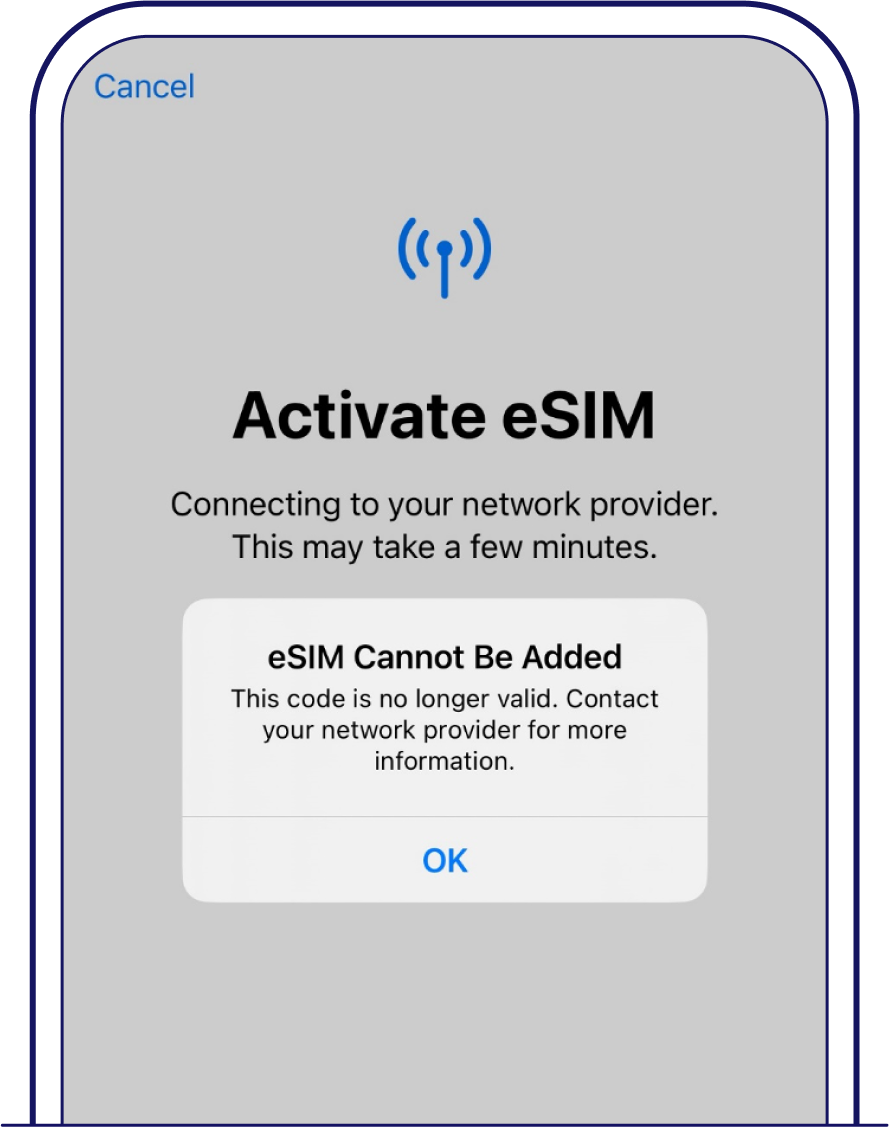
Many travel eSIM providers only allow one successful installation per QR code.
If:
- the eSIM was deleted previously
- installation partially completed earlier
- another device scanned the code
the provider may automatically block additional installations.
Common error messages include:
- “Activation Code Invalid”
- “QR Code Already Used”
- “Cellular Plan Cannot Be Added”
Before deleting an eSIM profile, always confirm whether the provider supports reinstallation.
3. Your Phone Does Not Support eSIM
Not every smartphone supports eSIM technology.
Some regional phone models completely disable eSIM functionality even if the device looks identical externally.
| Phone Type | Possible Limitation |
|---|---|
| China-market iPhone | No eSIM support |
| Budget Android models | Limited compatibility |
| Carrier-specific phones | eSIM disabled |
You can usually check compatibility here:
Settings → Cellular / Mobile Network → Add eSIM
If no eSIM option appears, the device may not support it.
4. The QR Code Image Is Blurry
This sounds obvious, but blurry QR screenshots cause installation failures surprisingly often.
Problems usually happen when:
- the screenshot is compressed
- brightness is too low
- the image is cropped
- the QR code is zoomed excessively
For better scanning success:
- maximize screen brightness
- open the original email instead of a screenshot
- scan using another device if possible
- avoid damaged or compressed images
5. VPN Apps Are Blocking the Installation
VPN applications can interfere with carrier profile downloads during activation.
This is especially common in:
- China
- UAE
- corporate-managed devices
- phones with strict security profiles
If the QR code repeatedly fails:
- disable VPN temporarily
- restart the device
- retry installation
Travelers visiting restricted-network countries may also find this guide useful: Best eSIM Data Plans for China Travel.
6. Your Device Reached the eSIM Profile Limit
Some smartphones limit how many eSIM profiles can be stored simultaneously.
If too many old profiles remain saved, the device may reject new installations.
This happens more frequently on:
- older iPhones
- certain Samsung devices
- carrier-modified Android firmware
Deleting unused eSIM profiles often solves the issue.
Never remove an active eSIM unless you confirm the provider allows reinstalling it later.
7. Your Phone Is Carrier Locked

Carrier-locked phones may block international eSIM installations entirely.
Even if the QR code scans successfully, activation can still fail afterward.
This is common with:
- US carrier phones
- contract-based devices
- certain refurbished phones
On iPhone, check:
Settings → General → About → Carrier Lock
If it says “No SIM Restrictions,” the phone is unlocked.
You can also read this guide on whether eSIM works on locked phones.
8. The QR Code Expired
Some eSIM activation codes expire after a certain period.
If you bought the eSIM too early and waited weeks before installing it, the QR code may no longer work.
Depending on the provider:
- unused QR codes may expire after 30 days
- activation windows may be limited
- installation periods may vary
This is why installation timing matters for travelers.
You can learn more in this guide about when to buy an eSIM before travel.
9. Manual Installation May Work Better
Many travelers do not realize eSIM installation can also be completed manually without scanning a QR code.
Some providers offer:
- SM-DP+ address
- manual activation code
- carrier profile information
If QR scanning repeatedly fails, manual installation often succeeds immediately.
Most providers include manual setup details inside the confirmation email.
10. The eSIM Installed but Still Shows No Service
Sometimes the QR code works correctly, but the eSIM itself still does not connect afterward.
In this situation, the installation succeeded — the connection failed later because of:
- disabled Data Roaming
- incorrect APN settings
- wrong network selection
- weak coverage
You can read this related troubleshooting guide on eSIM installed but no signal problems.
Quick Checklist If Your eSIM QR Code Fails
- Use strong WiFi
- Disable VPN temporarily
- Increase screen brightness
- Use the original QR image
- Restart the phone
- Delete unused eSIM profiles
- Verify eSIM compatibility
- Check expiration timing
- Try manual installation
Most Common eSIM QR Errors
| Error | Likely Cause |
|---|---|
| Invalid QR Code | Expired or damaged QR image |
| QR Code Already Used | Single-use activation restriction |
| Unable to Activate eSIM | Weak internet or VPN interference |
| Cellular Plan Cannot Be Added | Carrier lock or incompatibility |
| eSIM Installed but No Signal | Roaming or APN issue |
If your eSIM still does not work correctly after installation, you can also check this complete guide on fixing common eSIM problems while traveling.
Most QR code failures are not permanent issues. In many cases, switching to better WiFi, disabling VPN apps, or manually entering the activation details solves the problem within minutes.
Understanding how travel eSIM installation works before departure can help avoid unnecessary stress during international travel.
FAQs
1. Why is my eSIM QR code not scanning?
The most common reasons are weak internet, blurry QR images, expired activation codes, or unsupported devices.
2. Can an eSIM QR code be used twice?
Some providers allow reuse, but many travel eSIM QR codes only support one successful installation.
3. Why does my phone say “Invalid QR Code”?
This usually means the QR code expired, was already used, or the image quality is damaged.
4. Can VPN apps affect eSIM activation?
Yes. VPN applications sometimes interfere with downloading the carrier profile during installation.
5. What happens if I delete my eSIM?
Some providers allow reinstallation, while others require purchasing a new QR code.
6. Can I install an eSIM manually without scanning?
Yes. Many providers support manual activation using SM-DP+ addresses and activation codes.